By Derek V. Mackown | IT Technician & Display Hardware Specialist
A ghost image on a laptop screen has a biography. It didn’t appear randomly, it formed over time, from something specific, under specific conditions. And the way it looks right now, at this moment, contains more diagnostic information than most people know how to read.
How long has it been visible? Does it fade when you look away and come back to it, or does it sit exactly where it was? Does it disappear after ten minutes of normal use, or has it been there for three days and shows no sign of moving? Is it sharp and high contrast, or faint and slightly blurred at the edges? Does it appear only on certain background colors, or is it visible on everything you display?
Each of those questions is pulling on a different thread of the same problem. The answers don’t just describe the ghost, they describe the mechanism that created it, how far along that mechanism has progressed, and what can still be done about it. That’s what this guide is built around: reading the ghost itself before reaching for any fix.
The Mechanism First – Because IPS and OLED Fail Completely Differently
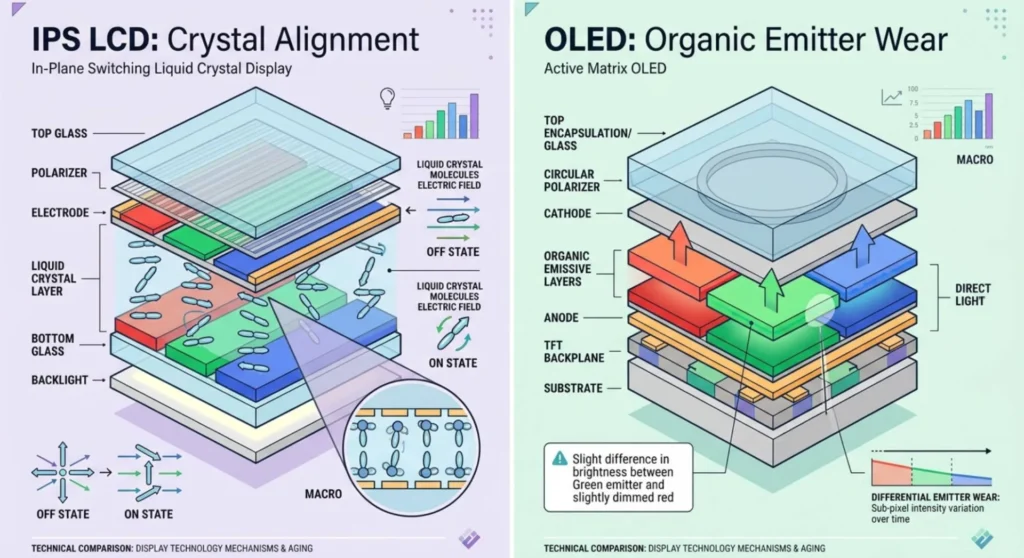
Laptop screens are not all the same kind of glass, and the image retention mechanism on an IPS LCD panel is physically distinct from the retention mechanism on an OLED panel. The distinction matters because the recovery approach is different, the timeline is different, and the permanence threshold is different.
On IPS LCD panels — which make up the majority of laptop displays, image retention is a liquid crystal alignment phenomenon. The crystals in an IPS cell are held in position by an electric field applied across the cell. When the same content is displayed for an extended period, that electric field pattern becomes partially “baked into” the alignment layer, a semi-permanent deformation of the polymer network that guides crystal orientation. Remove the content, and the crystals don’t fully return to their resting state immediately. They hold a partial memory of the previous alignment. You see that memory as a ghost.
This is a reversible process in its early stages. The polymer alignment layer relaxes over time when the stress is removed. How quickly depends on how severely it was stressed and for how long. A two-hour static display might leave a ghost that clears in fifteen minutes. A static UI element displayed for 72 continuous hours might leave a ghost that takes two days to clear on its own or might require active treatment to accelerate recovery.
On OLED laptop panels — increasingly common in premium machines from Dell XPS, ASUS ProArt, HP Spectre, and Lenovo ThinkPad Z series, the mechanism is fundamentally different. OLED retention is not a reversible alignment effect. It is differential luminance degradation of the organic emitter compounds. The ghost you see on an OLED laptop panel is not a crystal memory. It is the physical scar of uneven wear. Early-stage OLED retention can partially resolve through pixel compensation cycles, but the underlying emitter degradation does not reverse. What recovers is the panel’s compensation algorithm improving its correction, not the emitter material regenerating.
Identifying your panel type before proceeding: Open HWiNFO64 → System Summary → look for the display panel model identifier (shown as a manufacturer code, e.g., “BOE0BCA” or “LGD05F2”). Search that code, the first three characters identify the panel manufacturer (BOE, LGD = LG Display, SDC = Samsung Display, AUO, CMN = Innolux). Alternatively: Settings → System → Display → Advanced display, some systems show panel type information here. If you can find a specification sheet for your laptop model, the display section will list IPS or OLED alongside the panel resolution.
Reading the Ghost – What Its Appearance Reveals
Before any treatment, spend two minutes with the ghost itself. Display a flat mid-grey background, RGB 128, 128, 128 on a full screen. This is the background color that makes both IPS retention and OLED retention most visible because it provides the least interference from the display’s natural luminance variation.
Look at the ghost carefully under these conditions and note what you observe.
The ghost is soft-edged and slightly translucent, like a watermark.
This is the characteristic appearance of IPS alignment layer retention. The polymer deformation produces a gradual, not sharp, luminance difference. The edges of the retained image blend into the surrounding area rather than cutting cleanly. This is early-to-moderate retention. On an IPS panel, this type of ghost is highly recoverable, the alignment stress hasn’t become structural, and the layer will relax either through passive time or active cycling treatment.
The ghost is sharp-edged with clearly defined borders, darker than its surroundings.
Sharp-edged retention on an IPS panel indicates more severe stress, the alignment layer deformation is deep enough to produce a distinct boundary between affected and unaffected regions. Recovery is still possible but takes longer and benefits significantly from active treatment. On an OLED panel, sharp edges indicate differential emitter wear, the ghost’s borders correspond precisely to the borders of content that was displayed at high brightness for an extended period.
The ghost carries a color cast, the affected area is cooler, warmer, or has a greenish/pinkish tint relative to the surroundings.
Color-shifted retention on an IPS panel suggests the crystal deformation is affecting different color subpixels unevenly, often because the displayed content had strong color channels. On an OLED panel, a color cast means the subpixel channels degraded at different rates in the affected area. Green subpixels degrade more slowly than red or blue in most OLED formulations; a warm cast in the ghost area means the blue and green channels are relatively more degraded than red.
The ghost is only visible on certain background colors, present on grey, invisible on white, absent on black.
This is low-severity retention, the differential is subtle enough that only specific background luminance values reveal it. On an IPS panel, this represents minimal alignment stress. On an OLED panel, this represents early-stage differential wear. Both are highly recoverable at this stage.
The ghost shifts slightly when you tilt the screen, or changes appearance from different viewing angles.
Viewing-angle dependent retention is specific to IPS panels and confirms that the mechanism is liquid crystal alignment rather than luminance degradation. OLED panels have no viewing-angle dependence for retention, what you see from straight-on is the same from any angle, because the ghost is in the emitter, not in a birefringent crystal layer. If the ghost shifts with angle, you’re on an IPS panel and the retention is reversible.
How Long Has It Been There – The Recovery Prognosis by Age
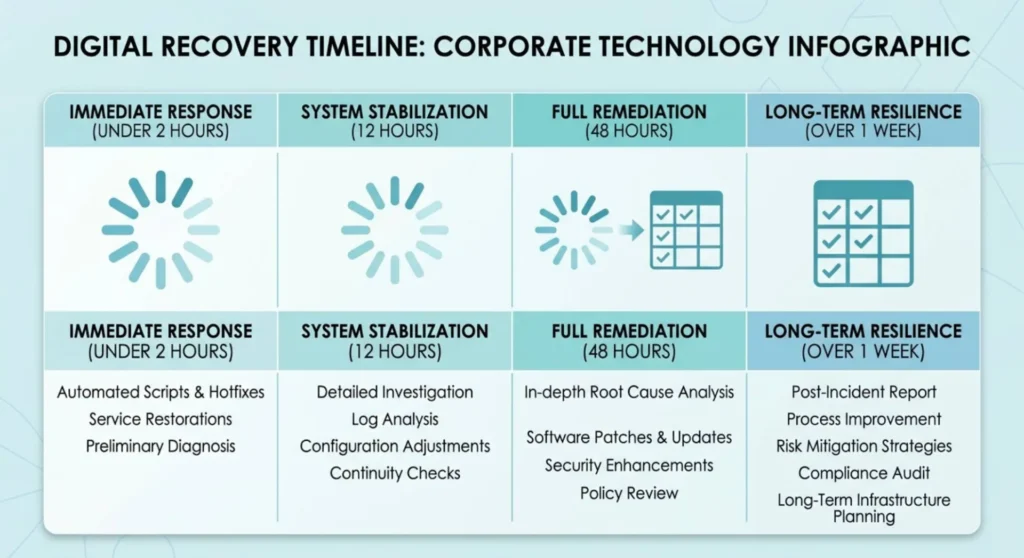
The single most important variable in predicting recovery is time elapsed since the ghost appeared. Not time since you noticed it, time since the static content that caused it was first displayed. These can be days or weeks apart.
Think back to what was on your screen for an extended uninterrupted period before you noticed the ghost. A video call running for six hours. A document open for two days while you worked. A game with a static HUD element. A login screen that sat displayed while you were away from the machine.
| Time the Ghost Has Been Present | IPS LCD Recovery Expectation | OLED Recovery Expectation |
|---|---|---|
| Under 2 hours | Clears passively within 30 – 60 minutes of varied use | May self-resolve with pixel exercise |
| 2 – 12 hours | Clears within a few hours; active cycling accelerates | Pixel compensation cycle likely effective |
| 12 – 48 hours | Passive resolution takes 1 – 3 days; active treatment recommended | Compensation cycle reduces visibility; full recovery not guaranteed |
| 2 – 7 days | Active treatment required; partial recovery expected on IPS | Permanent luminance differential likely forming on OLED |
| Over 1 week | Significant IPS deformation – treatment may not fully resolve | OLED: structural degradation confirmed – management only |
Use this table as a prognosis guide, not a hard boundary. IPS panels vary in their alignment layer composition, some recover faster, some hold stress longer. OLED panels vary in their emitter formulation and compensation algorithm quality. The table describes the most common outcome, not a guarantee.
Treatment 1 – Passive Recovery: The Underrated First Option
The instinct when you see a ghost image is to do something about it immediately. Sometimes the correct action is to do nothing or more precisely, to do the opposite of what caused it.
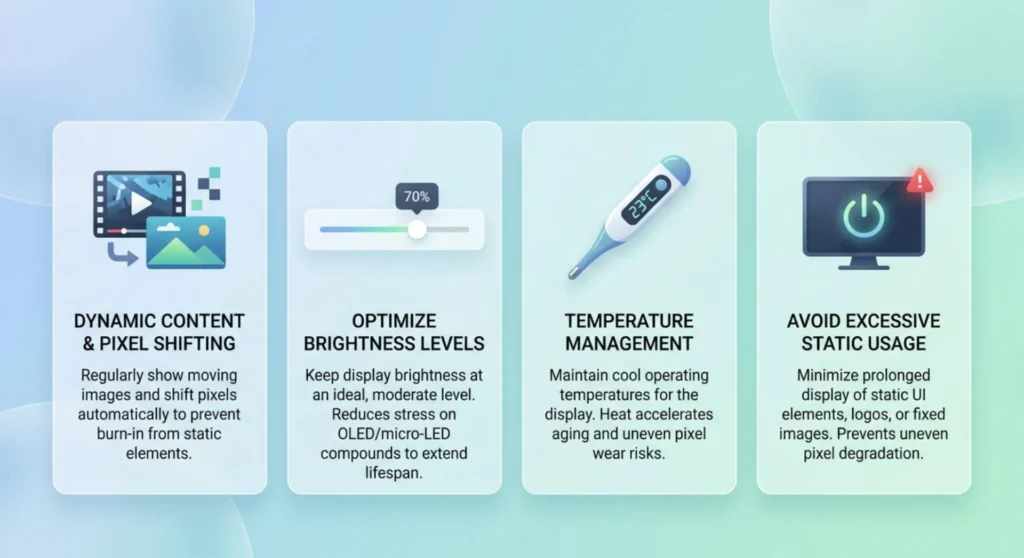
Display varied, dynamic content for an extended period. A video with constantly changing scenes. A scrolling webpage. A game with moving environments. The goal is to exercise the affected pixel region through a wide range of display states, cycling the IPS crystals through their full alignment range, or on OLED, exercising the compensation algorithm across the affected area.
For IPS retention that appeared within the last 12 hours: give passive recovery at least two hours of dynamic display content before moving to active treatments. The majority of short duration IPS retention resolves completely without intervention if the panel is given adequate time to relax.
What makes passive recovery faster:
Running the screen at moderate brightness (60 – 70%) during passive recovery is more effective than running it at minimum or maximum. Too low, and the drive current isn’t fully cycling the crystals. Too high, and you’re adding thermal stress to the polymer layer that can slow its relaxation.
Warmer ambient temperature helps IPS crystal relaxation, not dramatically, but measurably. A laptop running in a room at 22 – 24°C recovers faster than one in a 15°C office. This isn’t a fix, it’s an optimization.
Do not switch the laptop off during passive recovery. Powering down stops the display drive current and freezes the crystal alignment in whatever state it’s currently in. Keep the screen active with varied content for the full recovery period.
Treatment 2 – Pixel Cycling: Accelerating Recovery Through Rapid State Transitions
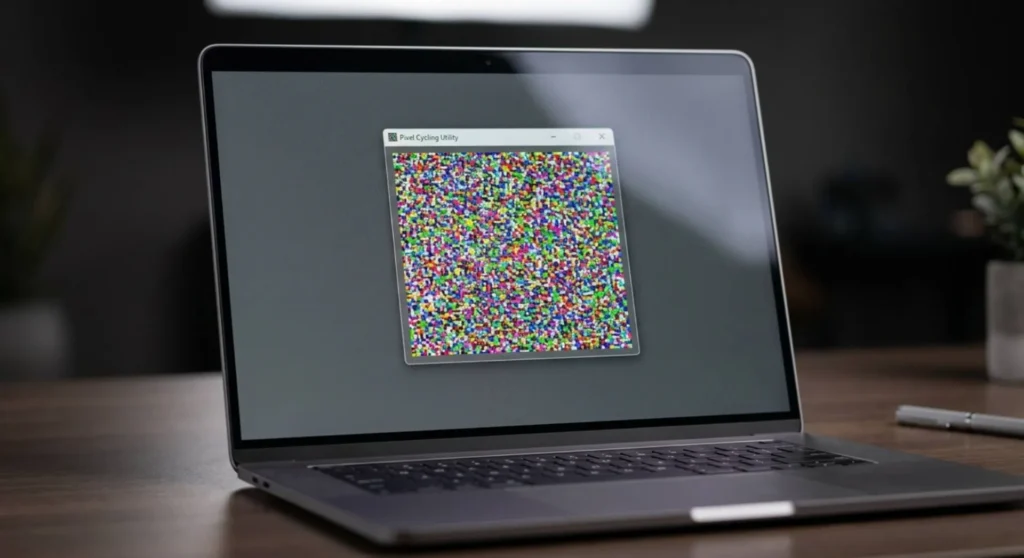
When passive recovery is too slow, because the retention is severe enough, or because you need the screen usable now. Pixel cycling accelerates the process by rapidly driving each pixel through its full range of output states. For IPS panels, this aggressively exercises the alignment layer through maximum-range crystal movement, which speeds relaxation of the deformed polymer. For OLED panels, it stimulates the compensation algorithm to update its luminance correction map for the affected region.
JScreenFix (jscreenfix.com) is the primary tool for this. Open it in a browser, launch the cycling window, and drag it over the affected screen region. Run it for 20 – 30 minutes at minimum. For retention that’s been present for more than 48 hours on IPS, run it for 60 – 90 minutes.
A critical detail most guides omit: The cycling window must cover the entire ghost area, not just the center of it. Retention recovery requires every affected pixel to cycle, and a cycling window that’s slightly too small leaves the border pixels in their stressed state, which can make the ghost look patchy after treatment rather than uniformly reduced.
To ensure complete coverage: before running JScreenFix, note the full extent of the ghost on your grey test background. Note which corners and edges of the ghost image extend to what points on the screen. Position the cycling window to cover all of it with margin on every side.
PixelHealer (free, from Aurelitec) runs a full screen cycling session rather than a targeted window, this is the better choice for ghosts that cover a large portion of the display, or where the exact extent of the retention is difficult to map. Run full screen cycling overnight for maximum IPS retention recovery. Check in the morning with the grey background test.
Treatment 3 – The Temperature Protocol: Using Thermal Cycling to Accelerate IPS Relaxation
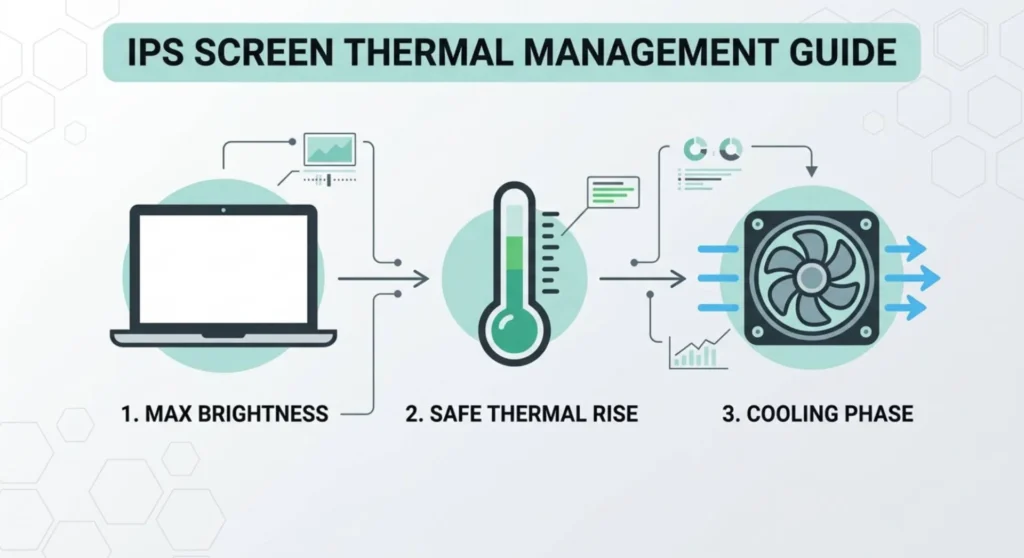
This treatment is specific to IPS LCD panels, it has no mechanism of action on OLED and should not be applied there.
IPS liquid crystal alignment layer relaxation is thermally assisted. The viscosity of the liquid crystal material decreases at higher temperatures, which allows the polymer alignment network to recover from deformation more rapidly. Within the panel’s safe operating temperature range, deliberately cycling the display through higher operating temperatures during the recovery period accelerates the process.
Protocol:
- Set screen brightness to maximum for 15 minutes, this raises the backlight temperature and, by thermal conduction, the panel operating temperature
- While at maximum brightness, display a white full screen background, this maximizes pixel drive current and combined thermal output
- After 15 minutes at maximum brightness, immediately run a JScreenFix or PixelHealer session for 30 minutes
- After cycling, reduce brightness to 50% and display varied dynamic content for 2 hours
- Then power off the display (not the laptop – use power settings to turn off the screen only) and allow it to cool to room temperature for 30 – 60 minutes
- Power the screen back on and evaluate the ghost on the grey test background
The warm to cool thermal cycle, combined with the cycling session while warm, produces faster and more complete recovery than room temperature cycling alone. I’ve resolved IPS retention cases that showed no improvement after four hours of room temperature cycling using a single thermal protocol session.
Treatment 4 – Monitor Specific Pixel Compensation Cycles
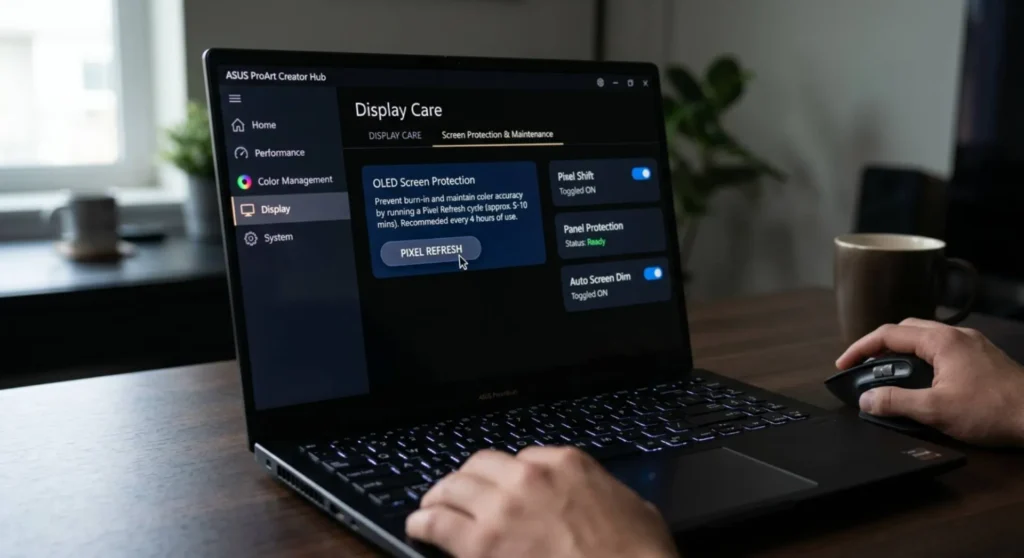
Several laptop manufacturers and display brands build panel compensation routines into their firmware or display utilities that run a more aggressive correction pass than JScreenFix can achieve from the software level. These tools communicate directly with the panel controller, they don’t just cycle colors through the OS display pipeline, they instruct the panel’s own controller IC to run a hardware-level pixel normalization pass.
For OLED laptop panels specifically, these are the most effective treatment available:
| Laptop / Display | Tool | Path |
|---|---|---|
| Dell XPS OLED | Dell Display Manager | Dell Display Manager → check for OLED Care or Panel Reset option under display settings |
| ASUS ProArt / Zenbook OLED | MyASUS or ProArt Creator Hub | MyASUS → Display Care → OLED Care → Pixel Refresh |
| LG OLED Monitor (connected to laptop) | LG OnScreen Control | LG OnScreen Control → OLED Care → Pixel Cleaning |
| Samsung OLED Monitor | Samsung Magic Tune / OSD | OSD → System → OLED Protection → Pixel Refresh |
| HP Spectre OLED | HP Display Control | HP Display Control → check for panel maintenance option |
| Lenovo ThinkPad Z series (OLED) | Lenovo Vantage | Vantage → My Device Settings → Display → OLED panel care |
For IPS laptop panels, manufacturer-specific tools offer less direct panel-level intervention than OLED tools do, because IPS retention was not historically considered a significant enough issue to warrant dedicated firmware tools. The most effective IPS-specific tool from the manufacturer side is the screen saver and idle behavior configuration in power management, which is preventive rather than corrective.
Treatment 5 – The Extended Rest Protocol: When Active Treatment Has Done Its Maximum
At the point where you’ve run pixel cycling sessions, applied the thermal protocol, and allowed days of passive recovery and a faint ghost still remains, you have extracted most of what active treatment can accomplish. What remains is a question of how much further passive recovery can still deliver.
For IPS panels, there is a threshold beyond which active treatment produces no additional improvement, the alignment layer deformation has stabilized at a new equilibrium. But passive recovery can continue to work past that threshold, slowly and without visible day-to-day progress.
The protocol: remove all static content from your display routine completely for seven days. No desktop wallpaper (set a black or constantly changing wallpaper). No fixed UI elements left on screen for more than ten minutes. No screen timeout longer than five minutes when idle. Display exclusively dynamic content, video, scrolling text, moving applications for all active use.
After seven days, test with the grey background. In my experience, IPS panels with moderate residual retention after active treatment show measurable additional clearing after this protocol. The improvement is less dramatic than active treatment but real, the alignment layer continues relaxing toward its resting state whenever it isn’t being re-stressed.
For OLED panels with confirmed emitter degradation: this protocol prevents the condition from worsening while the panel’s built-in compensation algorithm gradually updates its correction map across the affected region. It won’t recover the emitter material. It will allow the compensation algorithm its best opportunity to minimize the ghost’s visible contrast.
What You Can Do Going Forward to Prevent It Returning
Image retention on laptops is almost always a usage pattern problem, not a hardware defect. The same pattern that created the current ghost will create the next one, unless it changes.
Enable a screen timeout of 5 minutes or less for all power modes. This single setting eliminates the long static display periods that cause retention. Control Panel → Power Options → Change plan settings → Turn off the display → set to 5 minutes for both On battery and Plugged in. Every minute of static display the screen avoids is alignment stress it doesn’t accumulate.
Use dynamic wallpapers or rotate wallpaper on a schedule. A static wallpaper displayed at the same desktop view for months concentrates alignment stress on precisely the pattern of the wallpaper. Windows supports scheduled wallpaper changes natively, right-click desktop → Personalize → Background → set to Slideshow and configure a change interval of 30 minutes or less.
Avoid screen-freeze situations during high-concentration work. The most common retention cause on laptops I’ve seen is document or spreadsheet work, a static page open for 6 – 12 hours while the user is working. Reducing screen brightness during long static work sessions significantly reduces alignment stress without affecting usability.
For OLED laptop panels specifically: run the manufacturer’s pixel compensation routine proactively once a month — not in response to visible retention, but before it develops. LG, ASUS, and Dell all recommend regular (monthly to quarterly) compensation cycles as part of OLED panel maintenance. Ten minutes of proactive compensation prevents the conditions that produce visible retention in the first place.
Frequently Asked Questions
Q: The ghost image only appears on my screen when it’s first turned on, then fades within a minute. Is that normal or a problem?
It’s normal behavior for IPS panels that have been displaying static content before shutdown. The alignment layer holds a mild stress memory while the panel is off and releases it rapidly as the panel warms to operating temperature and the drive current begins exercising the crystals. If the ghost fades within 60–90 seconds of normal use, the stress level is mild and the panel is functioning correctly. Reduce your screen timeout setting to prevent the static display periods from deepening the stress over time.
Q: I replaced my laptop’s display panel and the replacement shows image retention after only two weeks. Did I get a defective panel?
Possibly, but more likely, the usage pattern that caused retention on the original panel is causing it on the replacement at the same rate. New panels can show retention within days under heavy static display conditions. If the replacement developed retention faster than the original, check what content was displayed during that two-week period. Was a specific application, game UI, or desktop layout displayed for extended periods? That content is the cause, not the panel. Change the usage pattern and retest a third panel if you proceed with another replacement.
Q: I can only see the ghost when the screen displays grey or certain mid-tone colors. Is it severe?
It’s mild-to-moderate. Ghost visibility that requires specific background colors to appear is a retention differential that’s below the threshold of normal display content. The crystal deformation is present but shallow, which is exactly the stage where active treatment produces the best outcomes. Run a cycling session now, before the stress deepens further, and institute a shorter screen timeout. At this stage, complete resolution is likely.
Q: My laptop has been showing the same ghost for three weeks despite multiple cycling sessions. Is it permanent?
On an IPS panel: three weeks of residual ghost after multiple cycling sessions indicates that the alignment layer deformation has stabilized at a new equilibrium, the stress is structural rather than temporary. The ghost won’t deepen further under normal use, but it’s unlikely to fully resolve. Visibility will remain consistent unless you continue varying the display conditions aggressively. The extended rest protocol is the last meaningful intervention available.
On an OLED panel: three weeks of stable ghost with pixel compensation cycles run is consistent with confirmed emitter degradation. The compensation algorithm has updated its correction map as far as it can reach. What remains is the physical differential in organic compound wear, which does not reverse. This is the permanent state for this panel under current compensation, a service or panel replacement is the only path to full resolution.